Signing a waiver
The gym and pickleball courts need a signed waiver before you can use them.
Two amenities are gated behind a waiver: the Fitness Studio and the Pickleball Courts. You sign each once. Your signature is recorded against your account and shows on both Waivers and the amenity's own page. A copy of the signed form — your typed name, the waiver version, the time and the full text — is emailed to the building staff for their records.
How to sign
- Open Waivers, or click Waiver Forms on the dashboard.
- Click Read the full waiver and actually read it — it's a release of liability.
- Tick the box confirming you've read and agree.
- Type your full name in the signature field.
- Click Sign & get access. The card flips to show when you signed, and building staff receive a copy of the signed form.
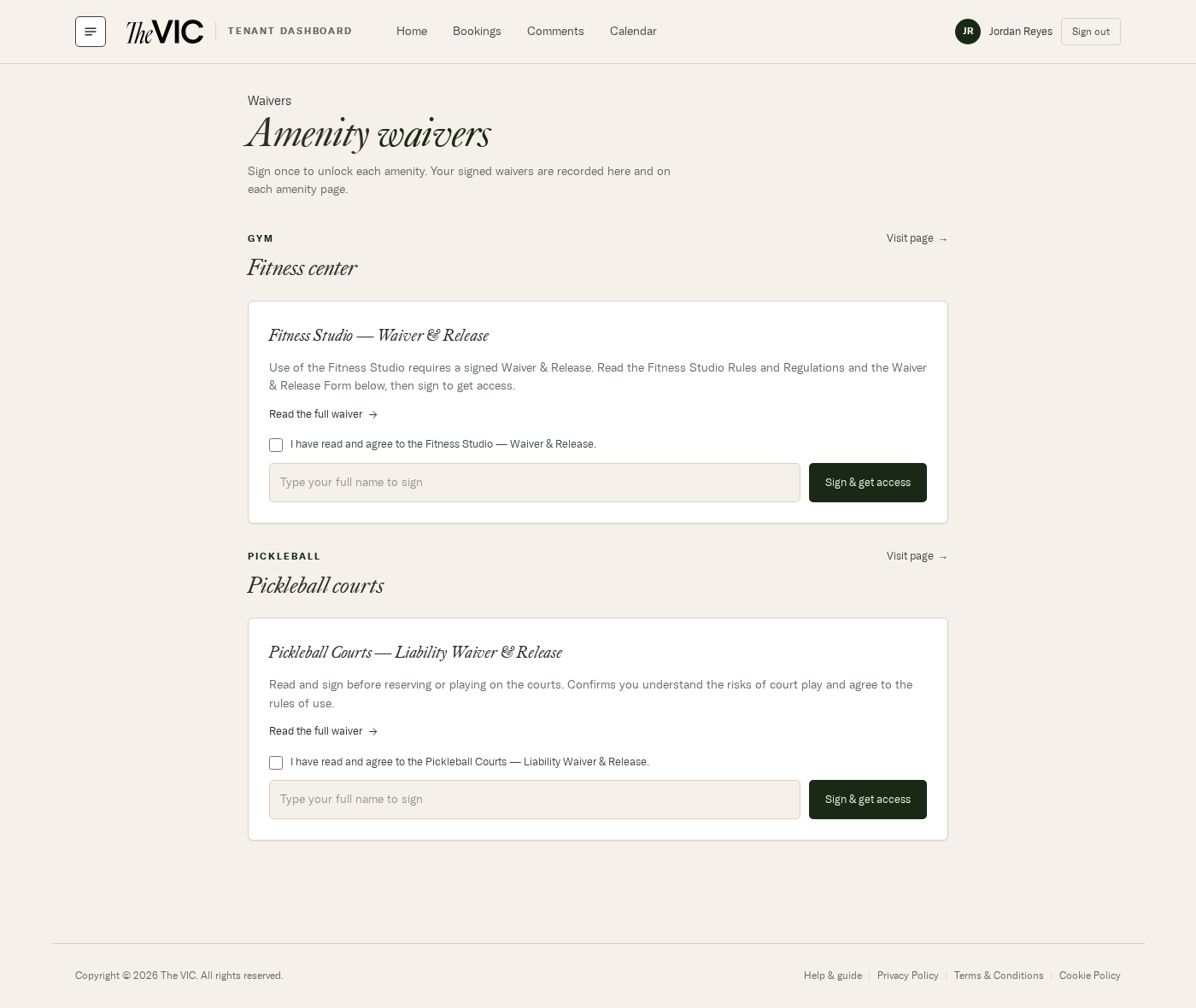
- Visit page opens the amenity itself.
- Read the full waiver — the complete text, plus the posted rules where they exist.
- Tick to confirm you've read and agree.
- Type your full name — this is your signature.
- Sign & get access records it immediately.
Being asked to sign again
Waivers are versioned. If the legal text changes materially, the version moves and everyone is asked to sign the new one. Your old signature stays on record — you're agreeing to the updated terms, not replacing history.
Can I sign on behalf of a colleague?
No. Each person signs for themselves, from their own account.
Can I bring a guest to the gym?
Not without written permission from management — the posted Fitness Studio rules are explicit about it. Ask building staff first.
Where can I get a copy of what I signed?
The full text stays on the waiver page under Read the full waiver, and the Fitness Studio document is downloadable as a PDF from the gym page.
I signed but the amenity still says I haven't.
Refresh the page. If it persists, you may have signed an older version — the page will show the sign prompt again for the current one.