Your first time in
Three ways an account gets created, and how to claim yours if you came from the old portal.
The portal is invite-only. Accounts are created by The VIC's staff — you can't sign yourself up, and entering an unrecognised address on the sign-in page won't create one. Which of these applies to you decides your first step.
| How you got here | What happened | Your first step |
|---|---|---|
| You used the old Equiem portal | Your account came across in the migration. No email was sent. | Use First time here? below to set a password. |
| Someone at The VIC invited you | An invite email was sent to your work address. | Open the email and follow the link to set a password. |
| Staff approved your account | You get an email saying your account is ready. | Follow the Set your password link in that email. |
Claiming a migrated account
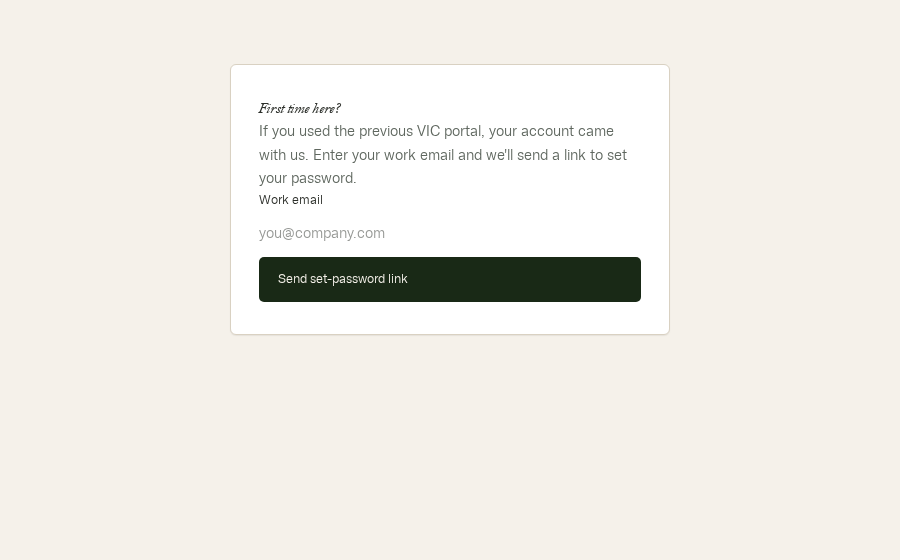
If you used the previous portal, your account is already waiting — it just has no password yet. Nobody emailed you, by design, so nothing landed in your spam folder.
- Go to the sign-in page.
- Click First time here? Set your password under the form.
- Enter your work email — the same address the old portal used.
- Click Send set-password link and check your inbox.
- Open the link and choose a password. You're in.
Which email address?
Use your work email at the company that leases space here. Your access is tied to your company, and companies are matched by email domain. A personal Gmail address won't be recognised even if it's the address you check most.
Nothing arrives after requesting the link
WhyEither the address doesn't match an account, or the mail is sitting in spam. The page confirms either way, so it can't tell you which.
FixCheck spam and any filters first. If it's genuinely absent, your company's office manager can confirm which address The VIC has on file, or ask the team.
“That sign-in link is invalid or has expired”
WhyThe link was already used, or more than an hour has passed.
FixRequest a fresh one from First time here? — old links stop working as soon as a new one is issued.