Getting around
The header, the menu drawer, and where each section actually lives.
Every tenant page carries the same header: the menu button on the far left, the VIC logo, a short row of top-level links, and — once you're signed in — your name (which opens Your account) and a Sign out button on the right.
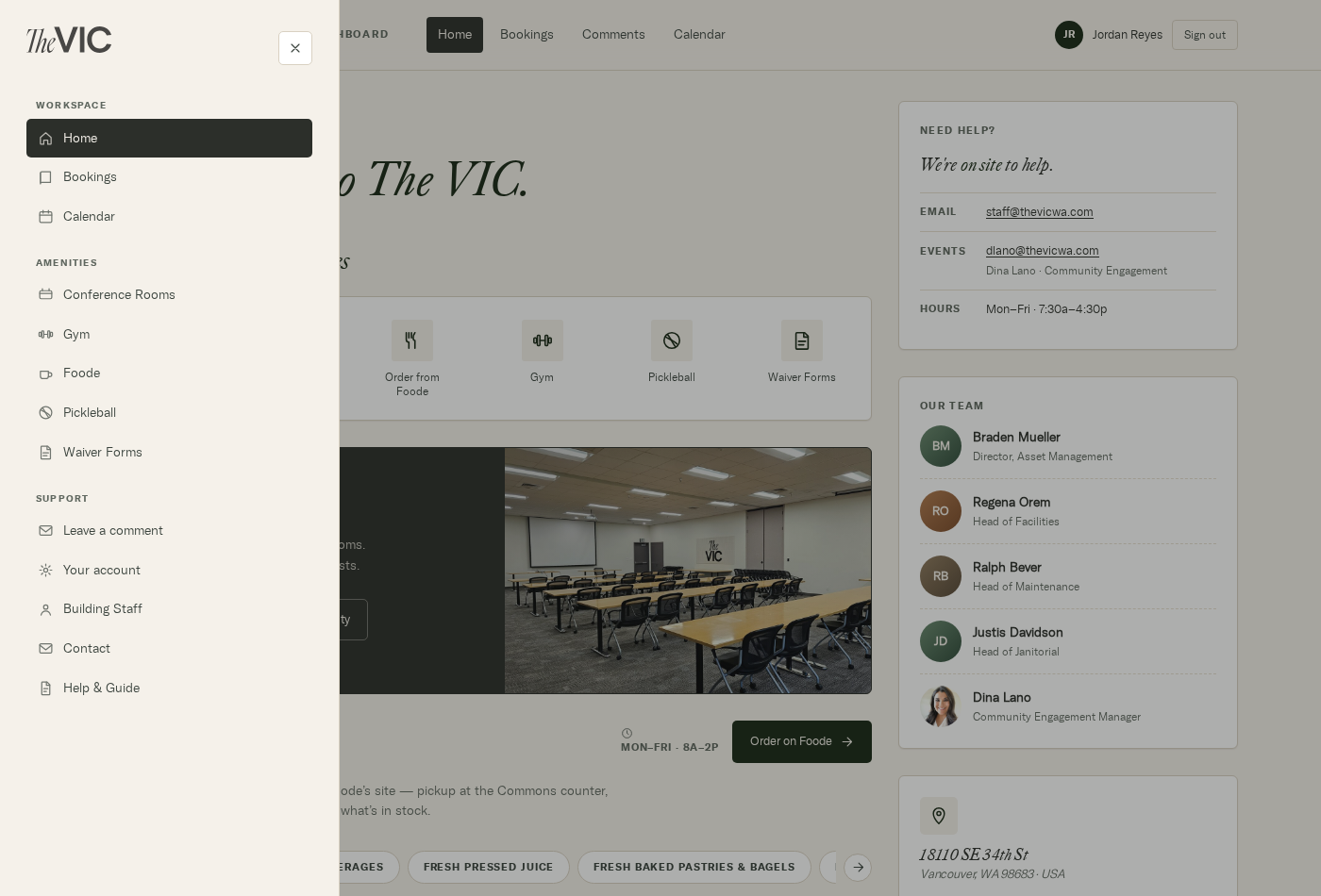
- Workspace — Home, Bookings, Calendar.
- Amenities — Conference Rooms, Gym, Foode, Pickleball, Waiver Forms.
- Support — Leave a comment, Your account, Building Staff, Contact, Help & Guide.
Where everything lives
| Section | Address | Signed in? |
|---|---|---|
| Dashboard | / | No |
| Bookings | /bookings | Yes |
| A specific room | /bookings/ponderosa, /bookings/sequoia | Yes |
| Events list | /events | Yes |
| Month calendar | /calendar | No |
| Gym | /gym | No |
| Pickleball | /pickleball | No |
| Waivers | /waivers | No — but signing needs an account |
| Leave a comment | /requests | Yes |
| Your account | /account | Yes |
| This guide | /help | No |